
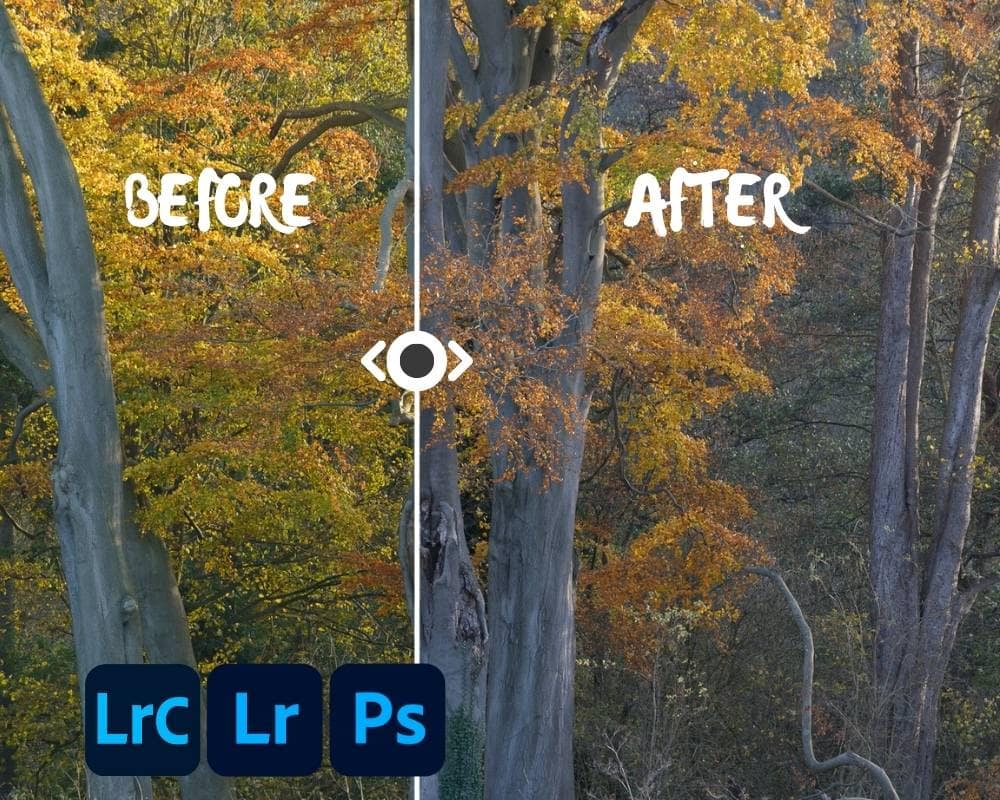
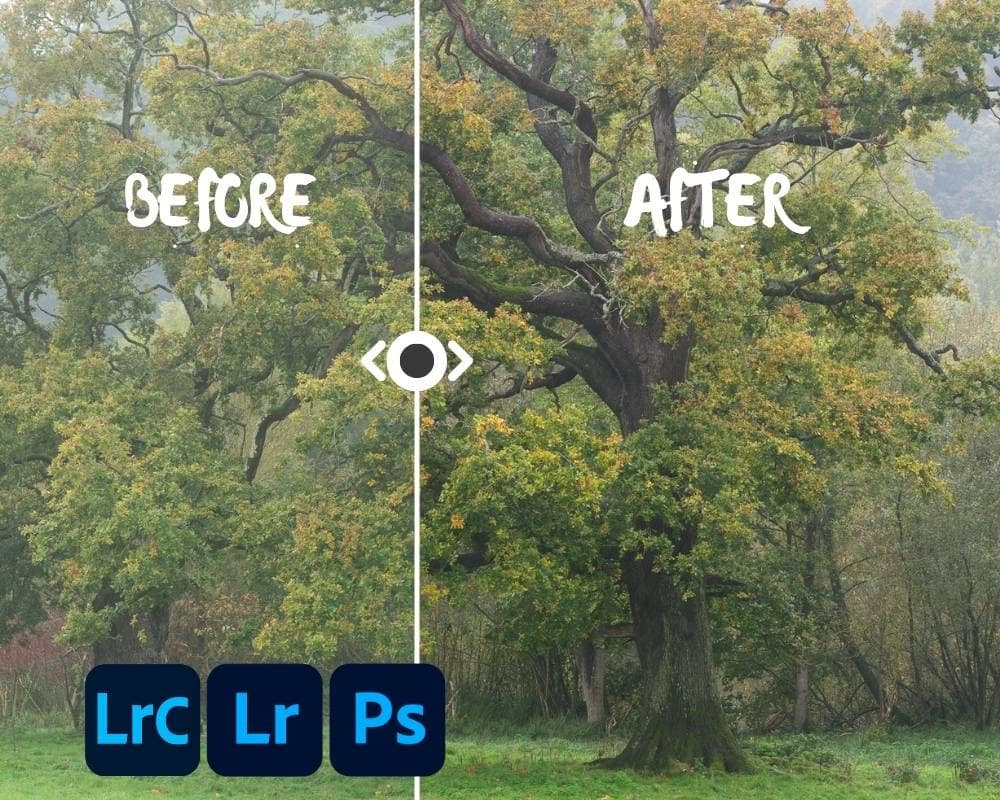
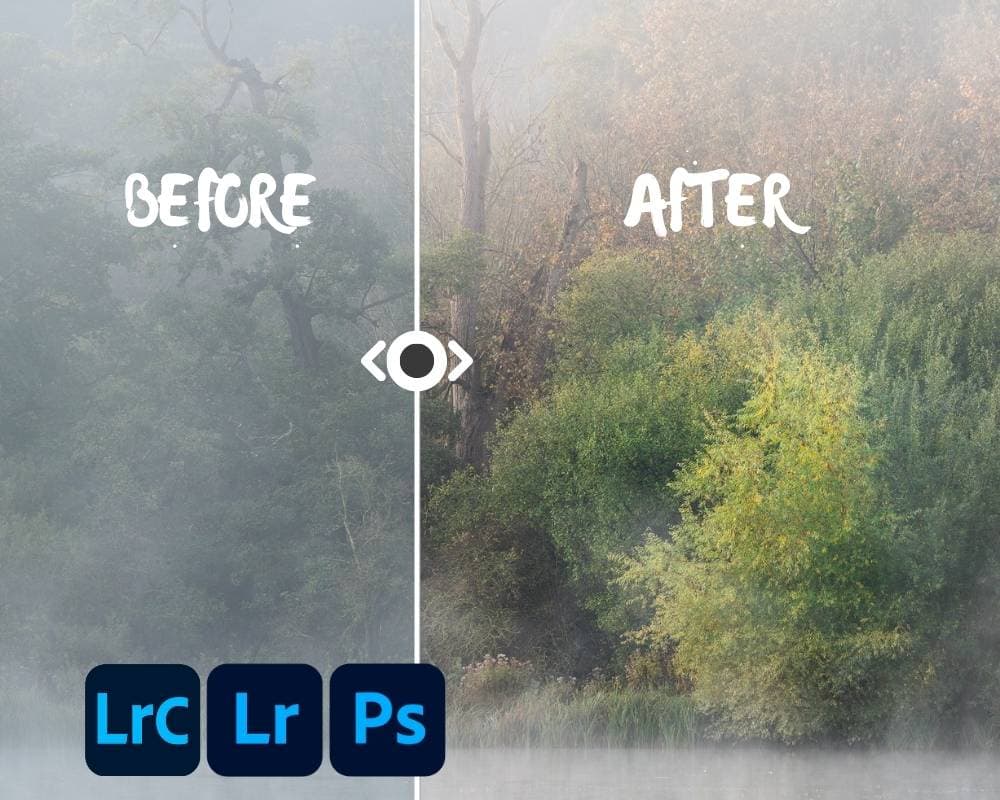
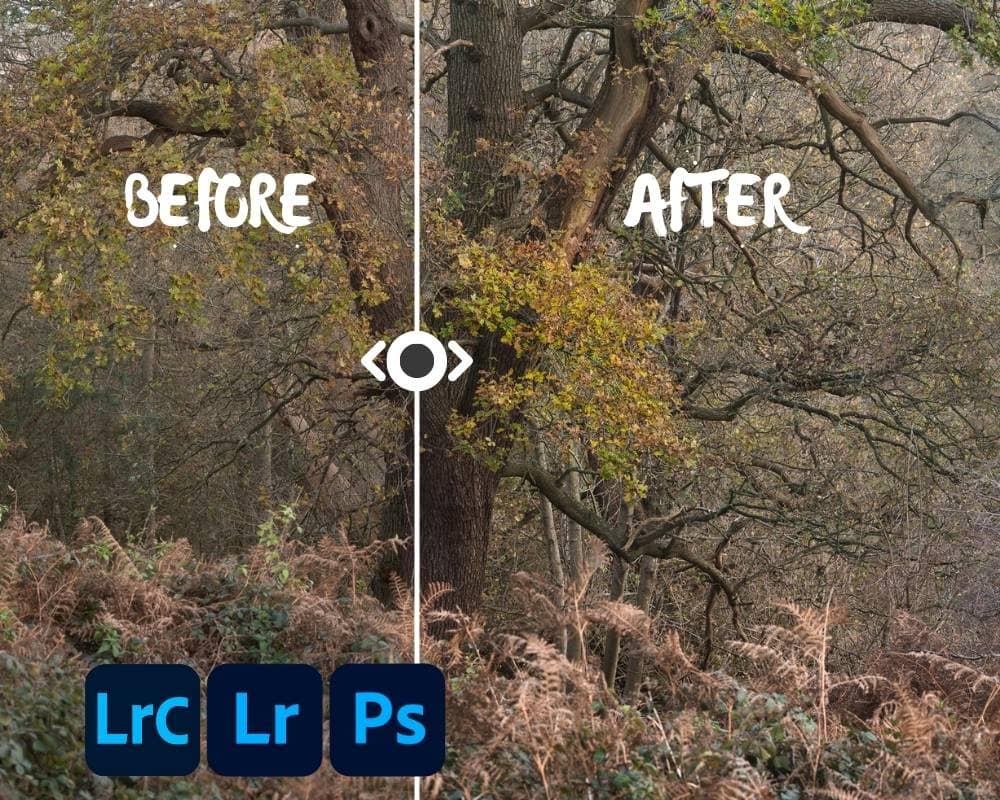
From Mud to Magic: Woodland RAW Prep Presets for Lightroom & Camera Raw
Original price was: £27.00.£19.00Current price is: £19.00.
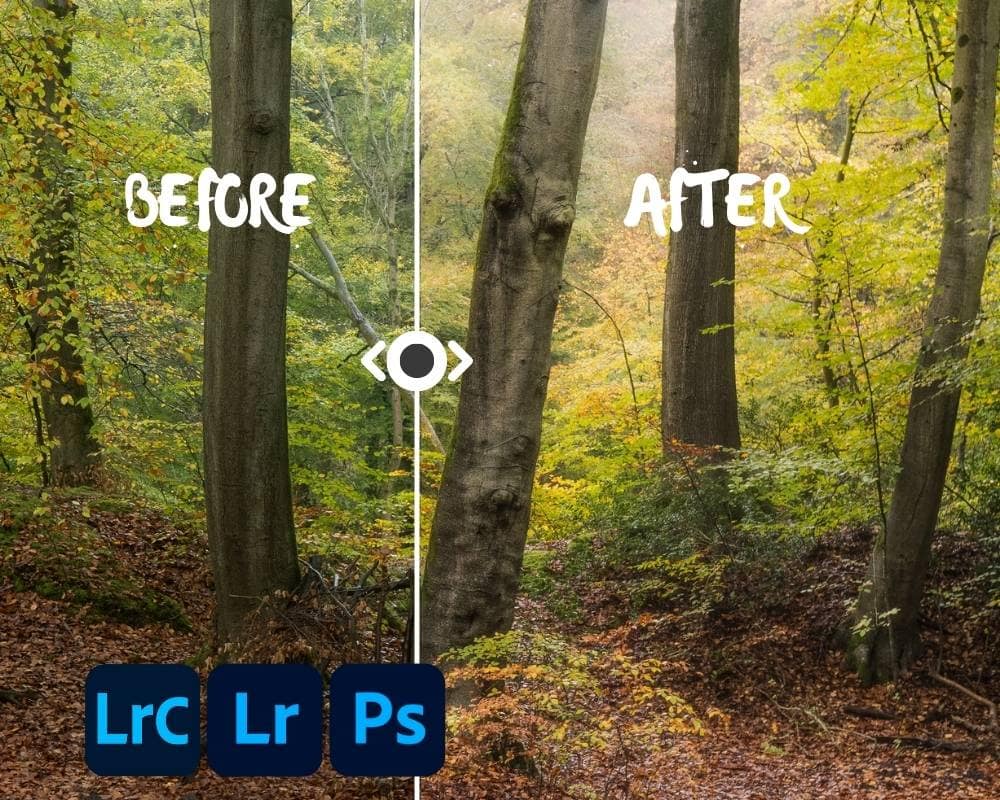
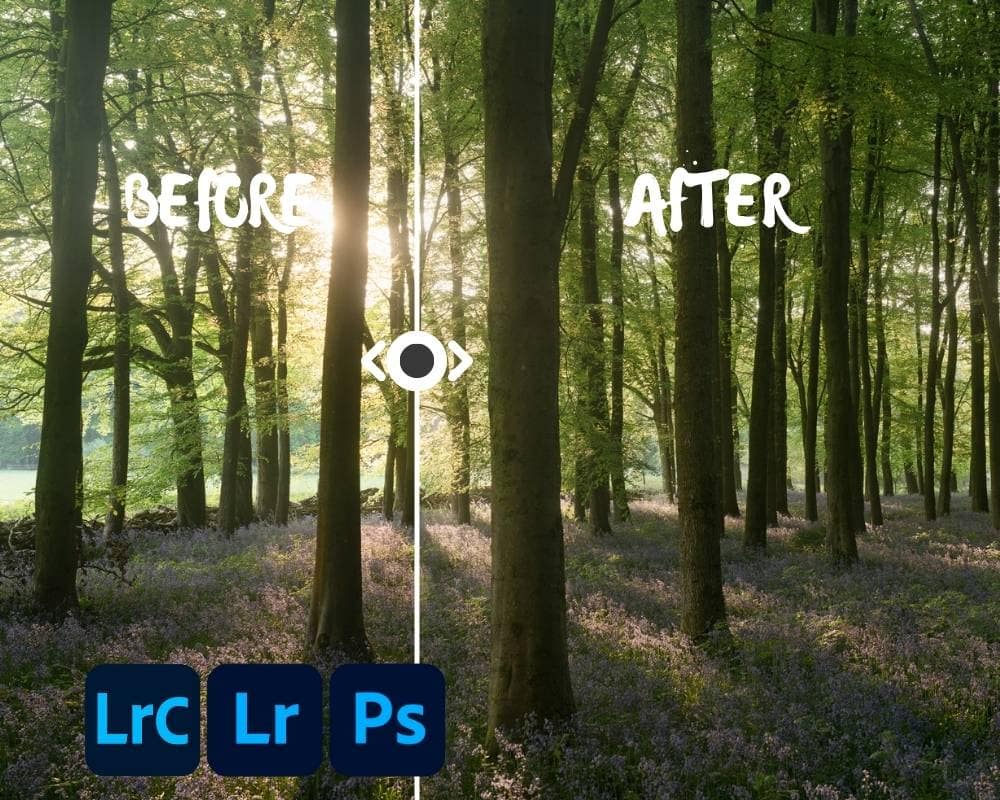
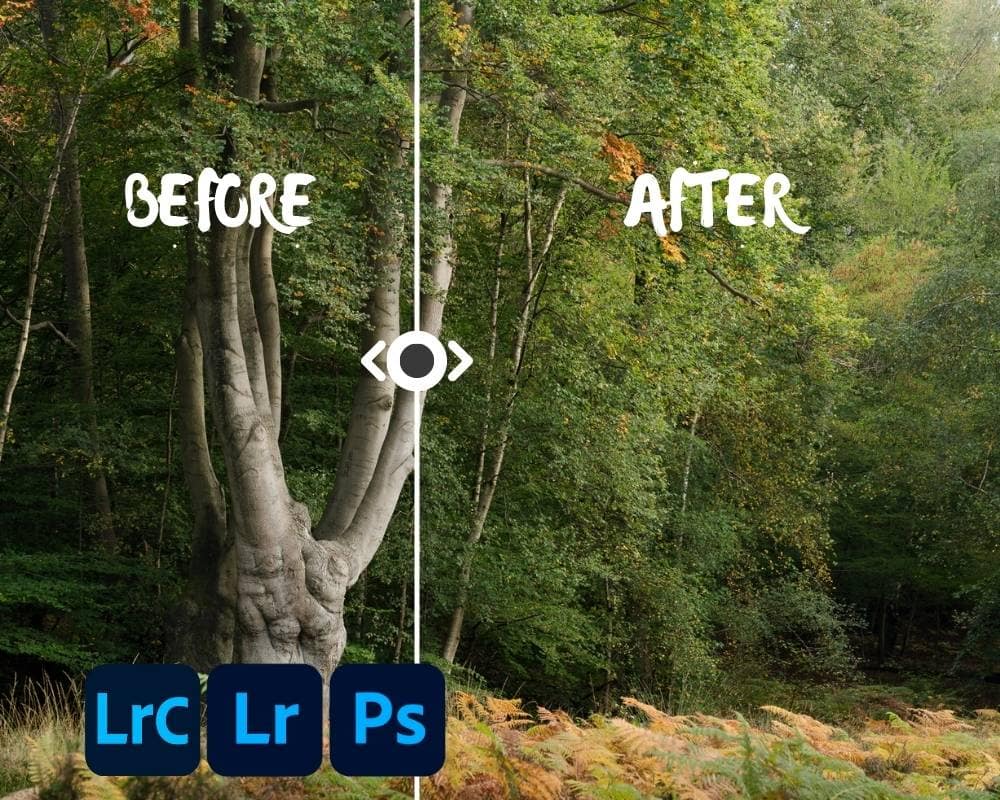
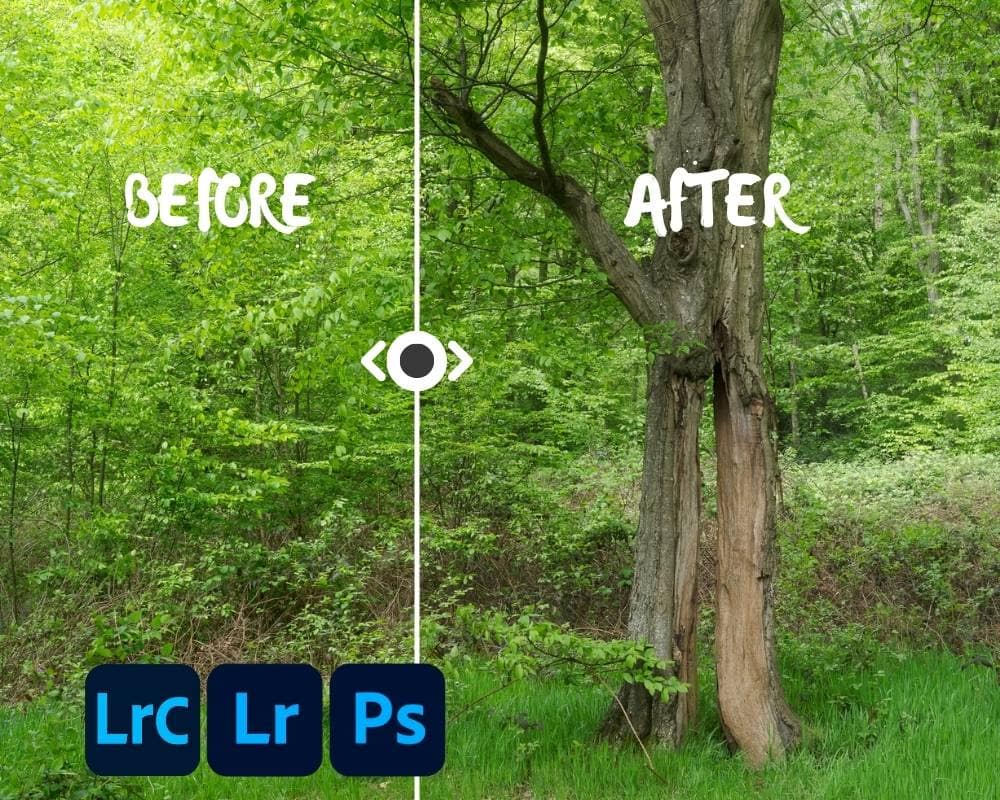
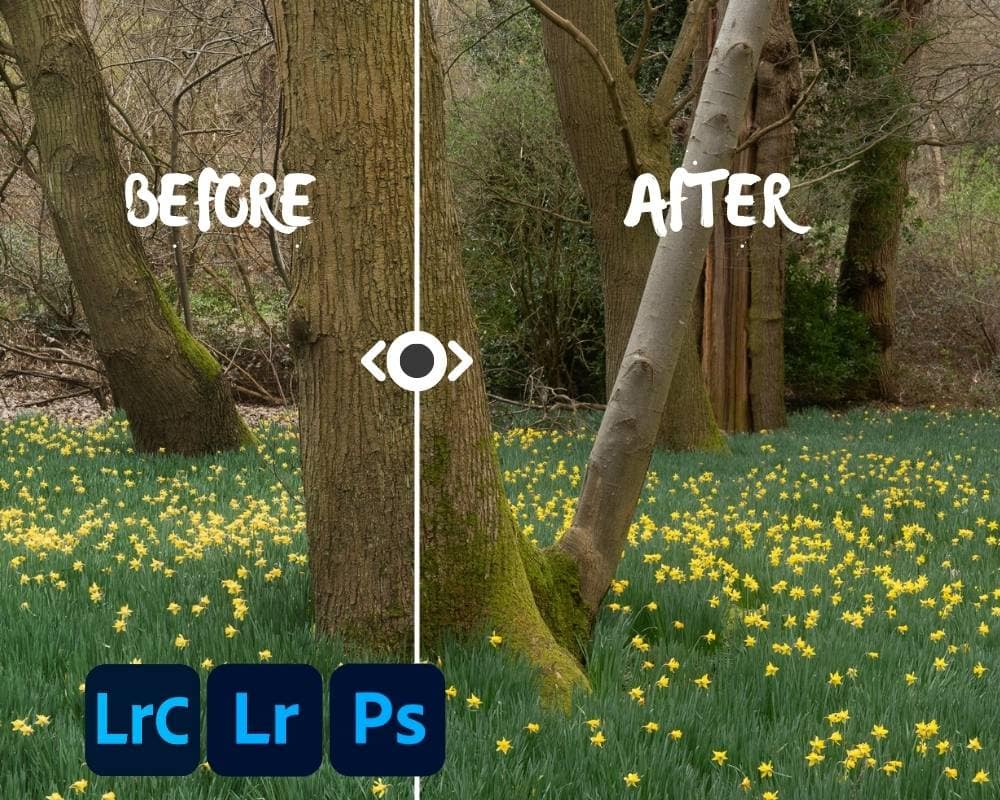
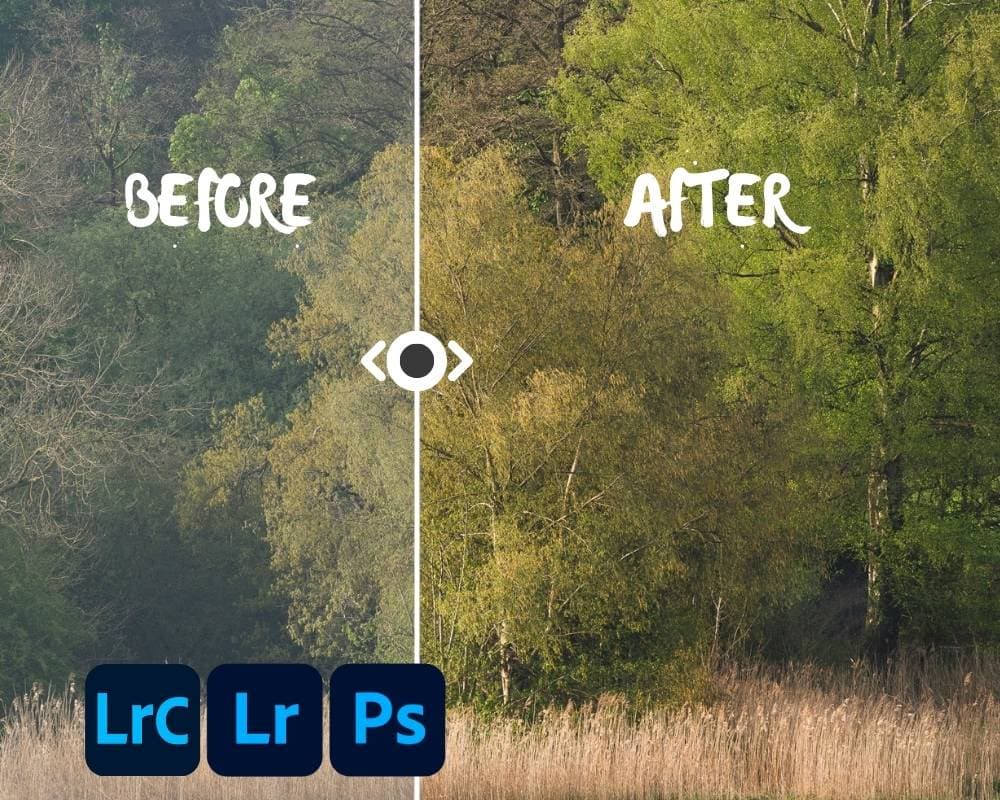
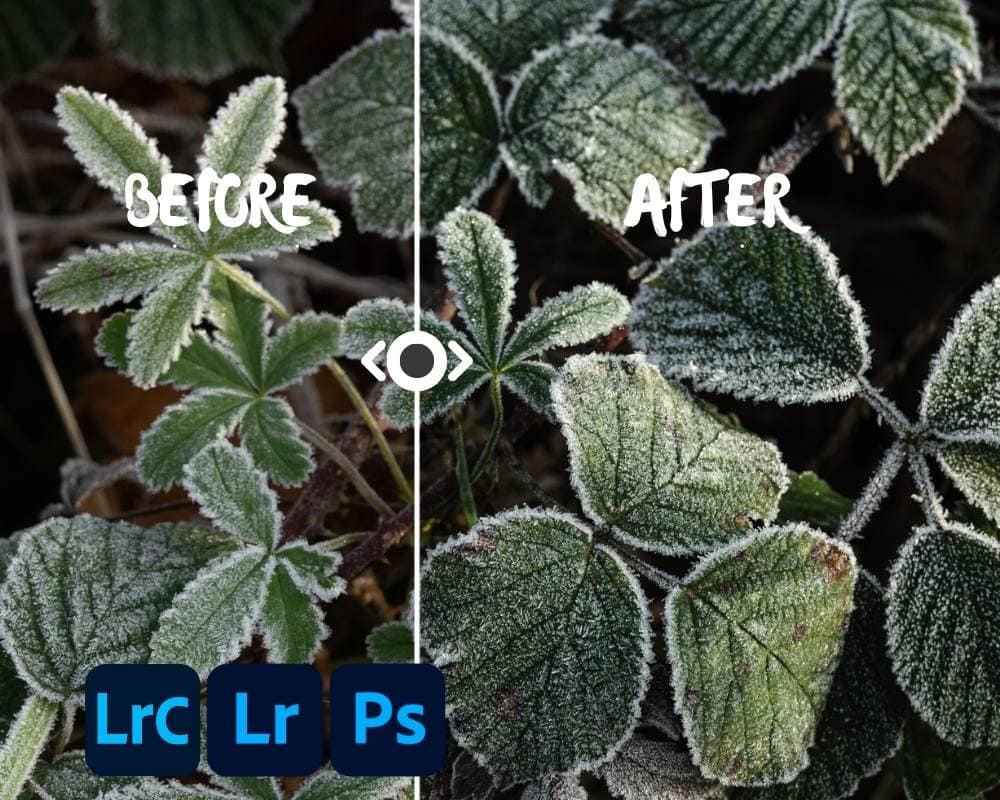
Tired of muddy woodland RAW files? This Lightroom preset pack removes Adobe’s hidden edits and gives you a clean, consistent starting point — ready for controlled contrast, clean colour, and repeatable results.
-
Works in all versions of Lightroom & Adobe Camera Raw
-
Uses a 4-step tonal curve RAW prep workflow for unlimited flexibility and control
-
Supports Adobe Neutral and Linear profiles, with better results than Adobe Color
-
Includes guide to create Linear profiles for the best results
Woodland RAW Prep Presets
Struggling to fix murky woodland RAW files?
You’re not alone. Woodland scenes often fall apart in post — blocked shadows, muddy midtones, and colours that just won’t play nicely. The culprit? Adobe’s hidden tone curves and baked-in contrast, particularly in the default Adobe Color profile.
These presets give you a clean slate.
They remove the hidden edits that sabotage woodland photos from the start and replace them with a consistent, flexible 4-step RAW prep process designed for Lightroom and Adobe Camera Raw.
What’s included:
You get a full set of develop presets that:
-
Use whole-image luminance masks to apply subtle, controlled tone curves
-
Cleanly separate contrast, midtones, white/black point, and brightness
-
Let you switch between curve variants without creating new masks
-
Work seamlessly in Lightroom Classic, Lightroom (CC), ACR, and Lightroom Mobile
Whether you’re working from Adobe Neutral or your own Linear Profile, you’ll be able to prep woodland RAWs with greater clarity and control than ever before.
You’ll also receive:
-
A complete setup and usage guide, including walkthroughs of the workflow
-
A bonus guide to creating a Linear Profile for your specific camera using Adobe’s DNG Profile Editor (optional, but ideal for full control)
Why not just use the free guide?
The From Mud to Magic guide gives you the theory — but these presets give you speed, precision, and repeatability. They're designed to eliminate trial-and-error, so you can focus on shaping the light and crafting your final edit — not wrestling with your base file.
If your woodland edits feel stuck, muddy, or hard to control… this pack gives you the foundation to finally move forward.
Frequently Asked Questions
Do I need to use a Linear Profile?
No. The presets work great with Adobe Neutral, which is included in Lightroom, Lightroom Classic and Camera Raw. But, if you want maximum flexibility and colour fidelity, the included guide shows you how to create a Linear Profile tailored to your camera. It’s optional, but highly recommended if you’re serious about optimising your RAW prep.
What version of Lightroom do I need?
These presets work in Lightroom Classic, Lightroom CC, Adobe Camera Raw and Lightroom Mobile. You will need an up-to-date version of your chosen Adobe RAW converter (2023 onwards) to fully utilize the presets as they use luminance masks. You’ll need to install them on desktop first for them to sync to mobile via Creative Cloud.
What exactly do these presets do?
They apply conal curve adjustments using whole-image luminance masks rather than baked-in global contrast and saturation provided by many of Adobe’s default profiles. You have control over everything. You’ll get cleaner midtones, unblocked shadows and no “cooked’ look baked in. The workflow includes 4 masks: gamma correction, white/black point, tone/brightness and a final contrast boost. Each of these has multiple different strengths, enabling you to create the perfect recipe for each image rather than using the baked-in recipe in Adobe’s default colour profiles.
How are these different from the free guide?
The From Mud to Magic guide teaches the concept and the manual process. These presets make it instant, repeatable, and error free, with masks named for clarity and a reset system built in. You can still edit each mask individually too using either the Amount slider or by editing the curves directly, for even finer control. they remove the fiddly steps and let you get straight to editing and enhancement.
Will this fix muddy edits on its own?
No preset can fix a bad exposure or poor composition – but these will give you a balanced, editable based file to build from. If your edits keep falling apart, chances are your starting point is broken. These presets fix that.
Can I use these on non-woodland images?
Absolutely. Though they are optimised for woodland edits, the tonal control works well for any image where clean separation, gentle contrast, and subtle colour are key. For example, I love to shoot architecture when I travel and I use the same workflow for many of my architectural images.

“The one-day workshop I did with Tim was an absolute revelation. I learnt so much!
Before the workshop, I wanted to spend more time taking photos of trees...
From Mud to Magic: Woodland RAW Prep Presets for Lightroom & Camera Raw
Original price was: £27.00.£19.00Current price is: £19.00.
Tired of muddy woodland RAW files? This Lightroom preset pack removes Adobe’s hidden edits and gives you a clean, consistent starting point — ready for controlled contrast, clean colour, and repeatable results.
-
Works in all versions of Lightroom & Adobe Camera Raw
-
Uses a 4-step tonal curve RAW prep workflow for unlimited flexibility and control
-
Supports Adobe Neutral and Linear profiles, with better results than Adobe Color
-
Includes guide to create Linear profiles for the best results
Woodland RAW Prep Presets
Struggling to fix murky woodland RAW files?
You’re not alone. Woodland scenes often fall apart in post — blocked shadows, muddy midtones, and colours that just won’t play nicely. The culprit? Adobe’s hidden tone curves and baked-in contrast, particularly in the default Adobe Color profile.
These presets give you a clean slate.
They remove the hidden edits that sabotage woodland photos from the start and replace them with a consistent, flexible 4-step RAW prep process designed for Lightroom and Adobe Camera Raw.
What’s included:
You get a full set of develop presets that:
-
Use whole-image luminance masks to apply subtle, controlled tone curves
-
Cleanly separate contrast, midtones, white/black point, and brightness
-
Let you switch between curve variants without creating new masks
-
Work seamlessly in Lightroom Classic, Lightroom (CC), ACR, and Lightroom Mobile
Whether you’re working from Adobe Neutral or your own Linear Profile, you’ll be able to prep woodland RAWs with greater clarity and control than ever before.
You’ll also receive:
-
A complete setup and usage guide, including walkthroughs of the workflow
-
A bonus guide to creating a Linear Profile for your specific camera using Adobe’s DNG Profile Editor (optional, but ideal for full control)
Why not just use the free guide?
The From Mud to Magic guide gives you the theory — but these presets give you speed, precision, and repeatability. They're designed to eliminate trial-and-error, so you can focus on shaping the light and crafting your final edit — not wrestling with your base file.
If your woodland edits feel stuck, muddy, or hard to control… this pack gives you the foundation to finally move forward.
Frequently Asked Questions
Do I need to use a Linear Profile?
No. The presets work great with Adobe Neutral, which is included in Lightroom, Lightroom Classic and Camera Raw. But, if you want maximum flexibility and colour fidelity, the included guide shows you how to create a Linear Profile tailored to your camera. It’s optional, but highly recommended if you’re serious about optimising your RAW prep.
What version of Lightroom do I need?
These presets work in Lightroom Classic, Lightroom CC, Adobe Camera Raw and Lightroom Mobile. You will need an up-to-date version of your chosen Adobe RAW converter (2023 onwards) to fully utilize the presets as they use luminance masks. You’ll need to install them on desktop first for them to sync to mobile via Creative Cloud.
What exactly do these presets do?
They apply conal curve adjustments using whole-image luminance masks rather than baked-in global contrast and saturation provided by many of Adobe’s default profiles. You have control over everything. You’ll get cleaner midtones, unblocked shadows and no “cooked’ look baked in. The workflow includes 4 masks: gamma correction, white/black point, tone/brightness and a final contrast boost. Each of these has multiple different strengths, enabling you to create the perfect recipe for each image rather than using the baked-in recipe in Adobe’s default colour profiles.
How are these different from the free guide?
The From Mud to Magic guide teaches the concept and the manual process. These presets make it instant, repeatable, and error free, with masks named for clarity and a reset system built in. You can still edit each mask individually too using either the Amount slider or by editing the curves directly, for even finer control. they remove the fiddly steps and let you get straight to editing and enhancement.
Will this fix muddy edits on its own?
No preset can fix a bad exposure or poor composition – but these will give you a balanced, editable based file to build from. If your edits keep falling apart, chances are your starting point is broken. These presets fix that.
Can I use these on non-woodland images?
Absolutely. Though they are optimised for woodland edits, the tonal control works well for any image where clean separation, gentle contrast, and subtle colour are key. For example, I love to shoot architecture when I travel and I use the same workflow for many of my architectural images.
“The one-day workshop I did with Tim was an absolute revelation. I learnt so much!
Before the workshop, I wanted to spend more time taking photos of trees...
Reviews